Early access: in pilot with a small group of design partners
A tour of Trenda RS Property
What a property manager and a technician see, screen by screen: the office, the technician app on a phone, the page residents use to report a problem, and the rules for each state you operate in.
Screens are from a test build with fictional properties, people and phone numbers.
For the office
Know what needs doing, and by when
Work orders, properties, deadlines and who is on call, on one screen for the property manager and the office team.
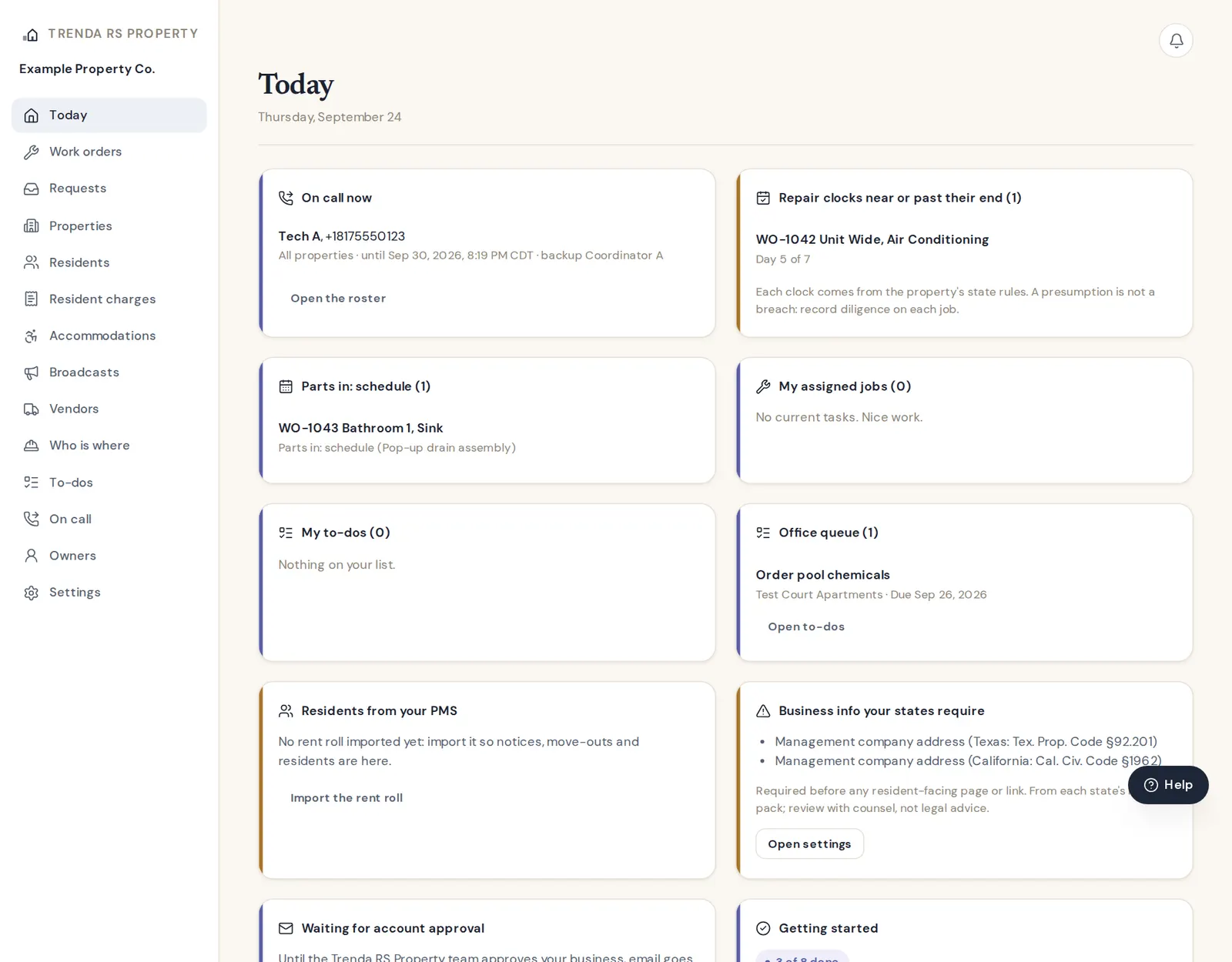
Today, for the office
The start page: who is on call right now, repair clocks near or past their end, parts that arrived and need scheduling, the office to-do queue, and a setup checklist.
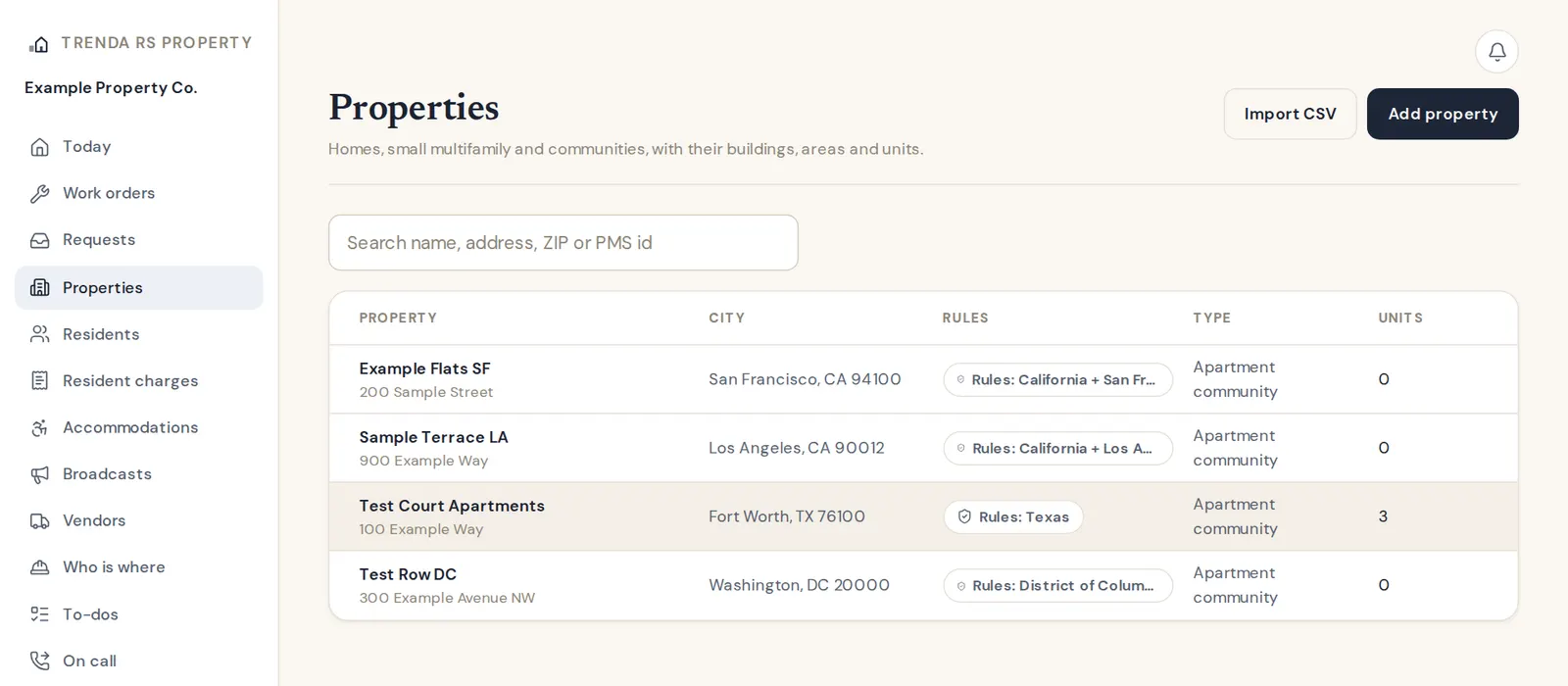
Every property knows its rules
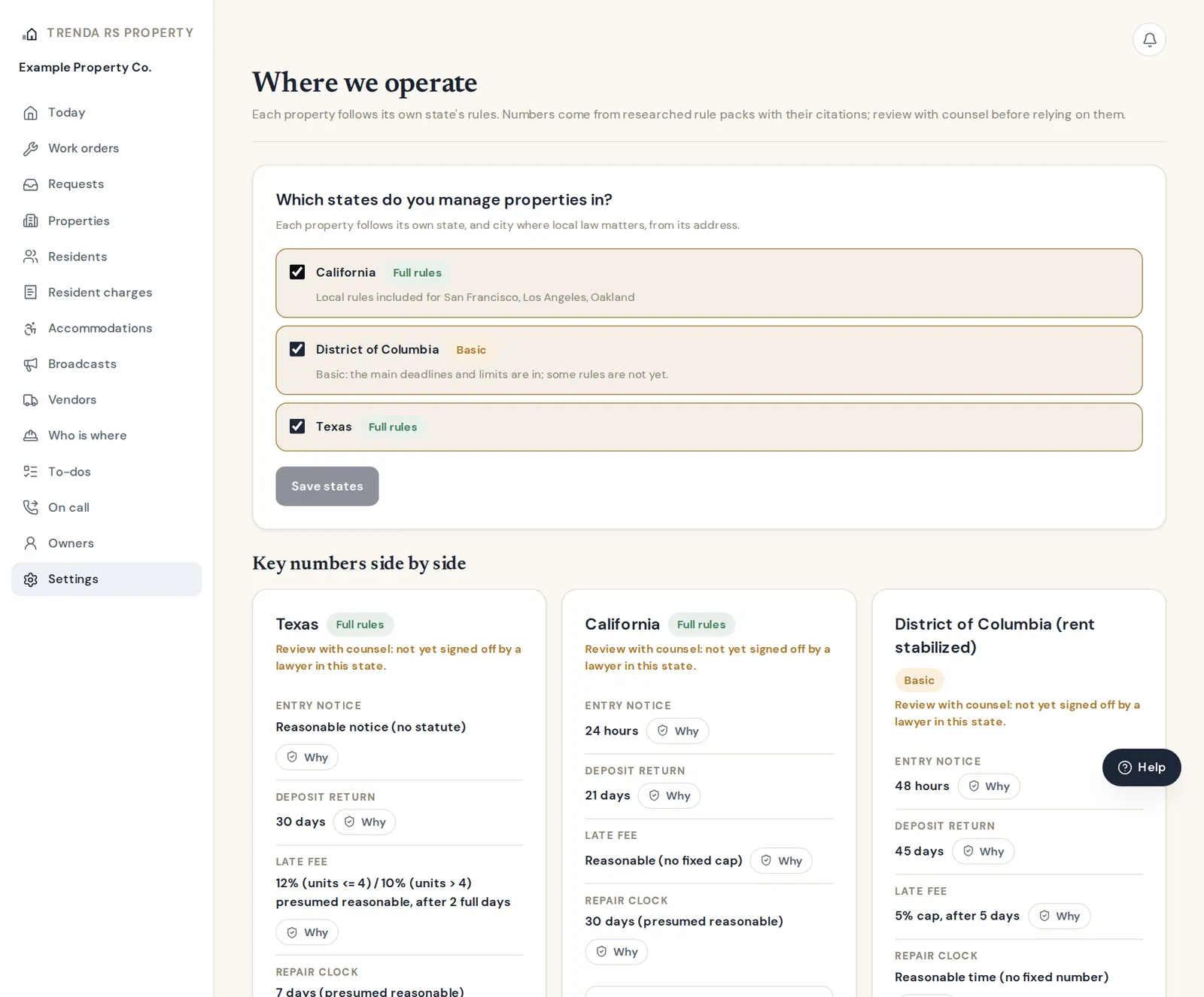
Each property shows the rule set its address falls under: Texas, California with a city's local rules (Los Angeles, San Francisco, Oakland), or DC.
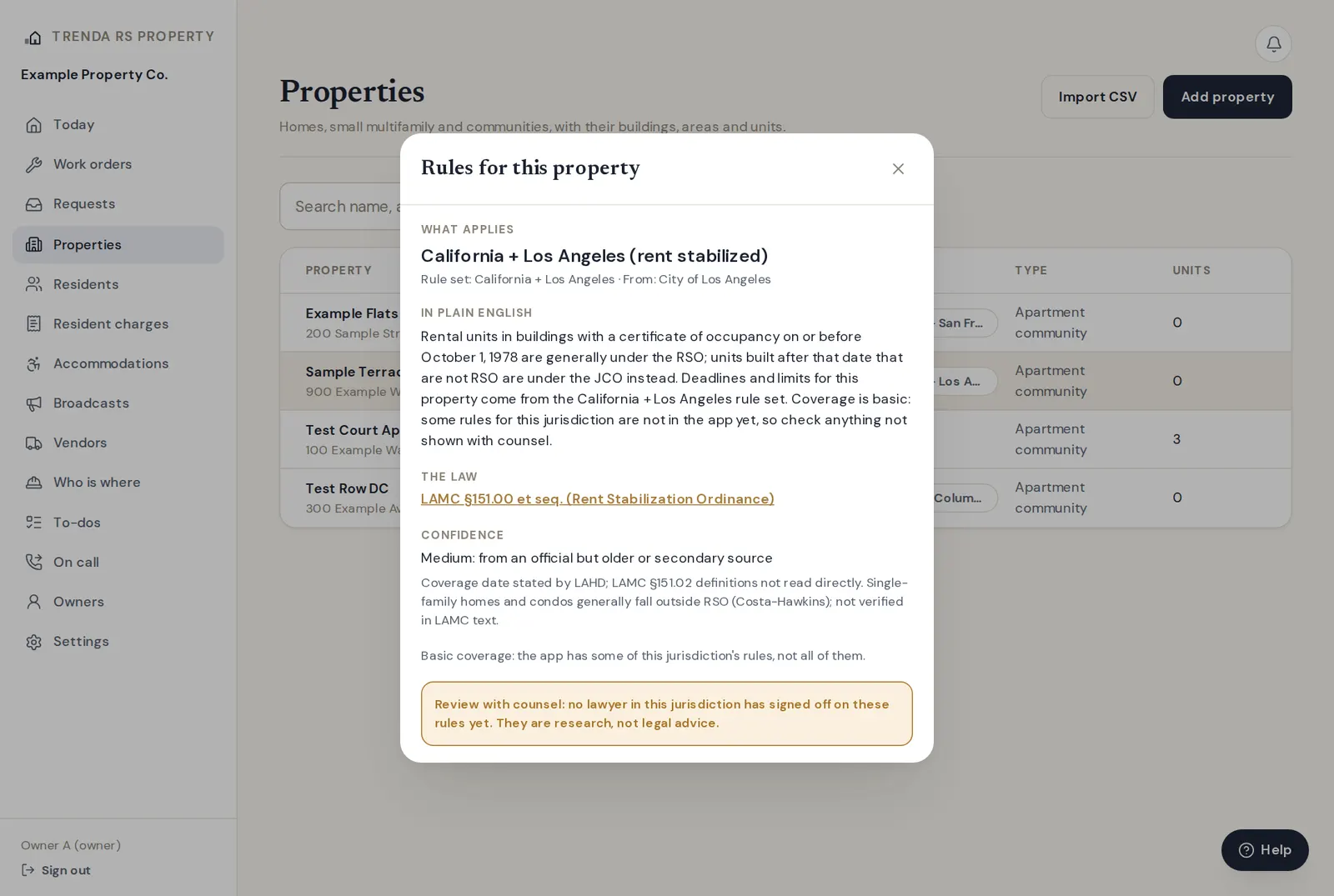
Tap a Rules badge to see why
What applies in plain English, the law it comes from with a link to the source, how confident the research is, and "Review with counsel" until a lawyer in that state signs off.
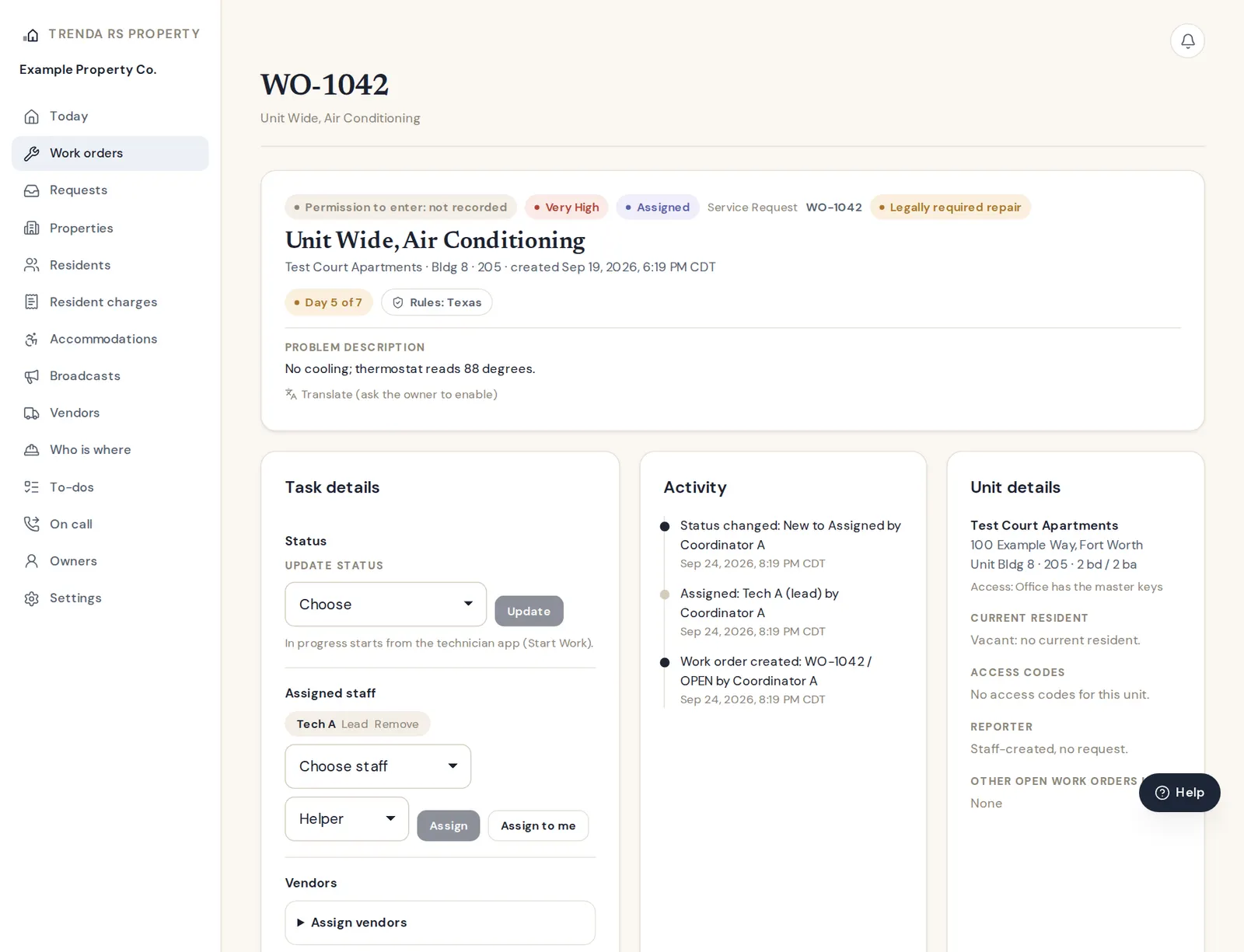
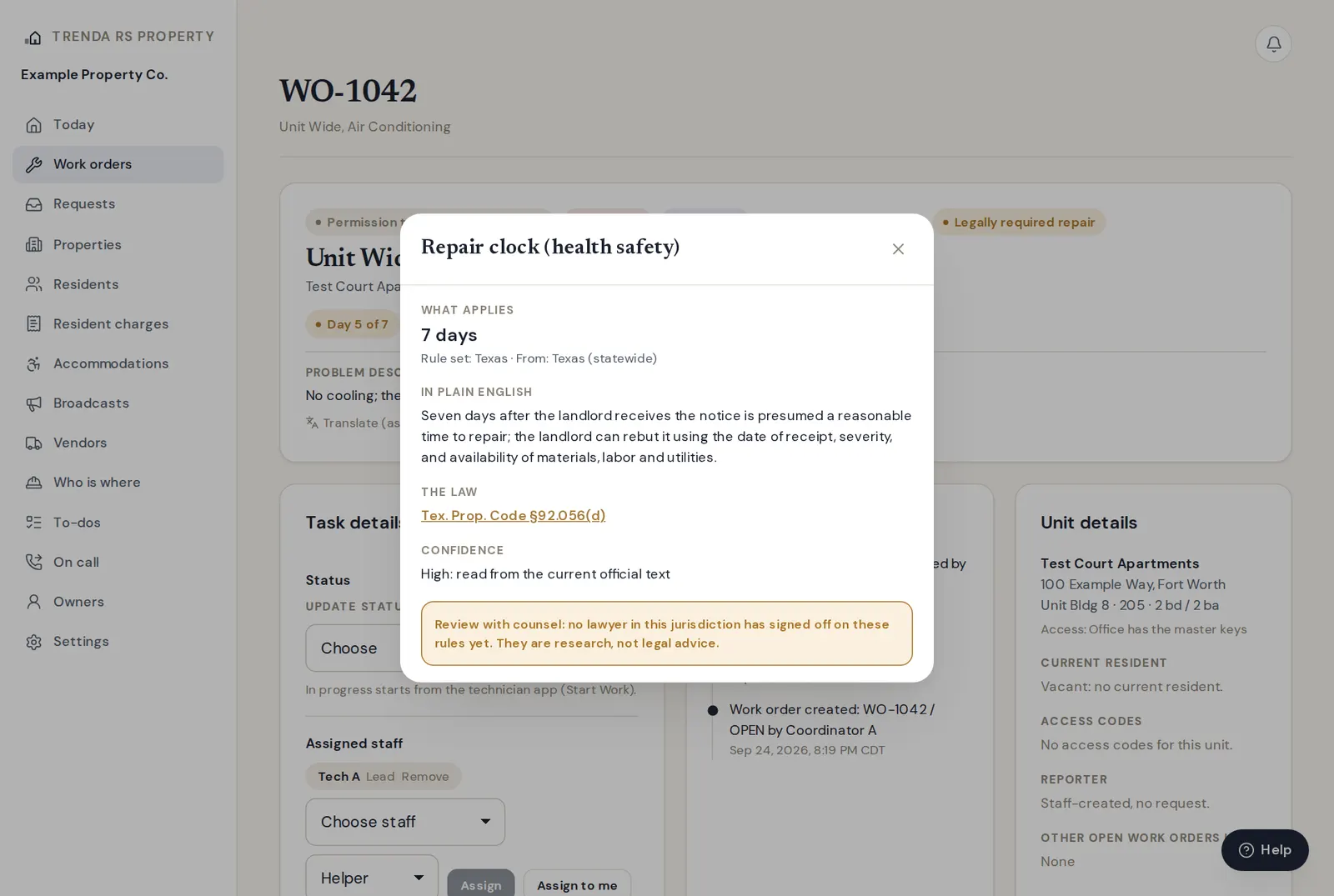
Work orders with a repair clock
Priority, status, permission to enter and "Legally required repair" at the top. The clock counts days against the state's repair presumption and is recorded on the job, next to the activity and unit details.
Where the clock comes from
The clock's badge names the statute (here Tex. Prop. Code §92.056(d)) and explains that a presumption is not a breach: record diligence on each job.
Settings: Where we operate
Pick the states you manage in and compare entry notice, deposit return, late fees and the repair clock side by side, each with a Why. Company rules can be stricter than the law, never looser.
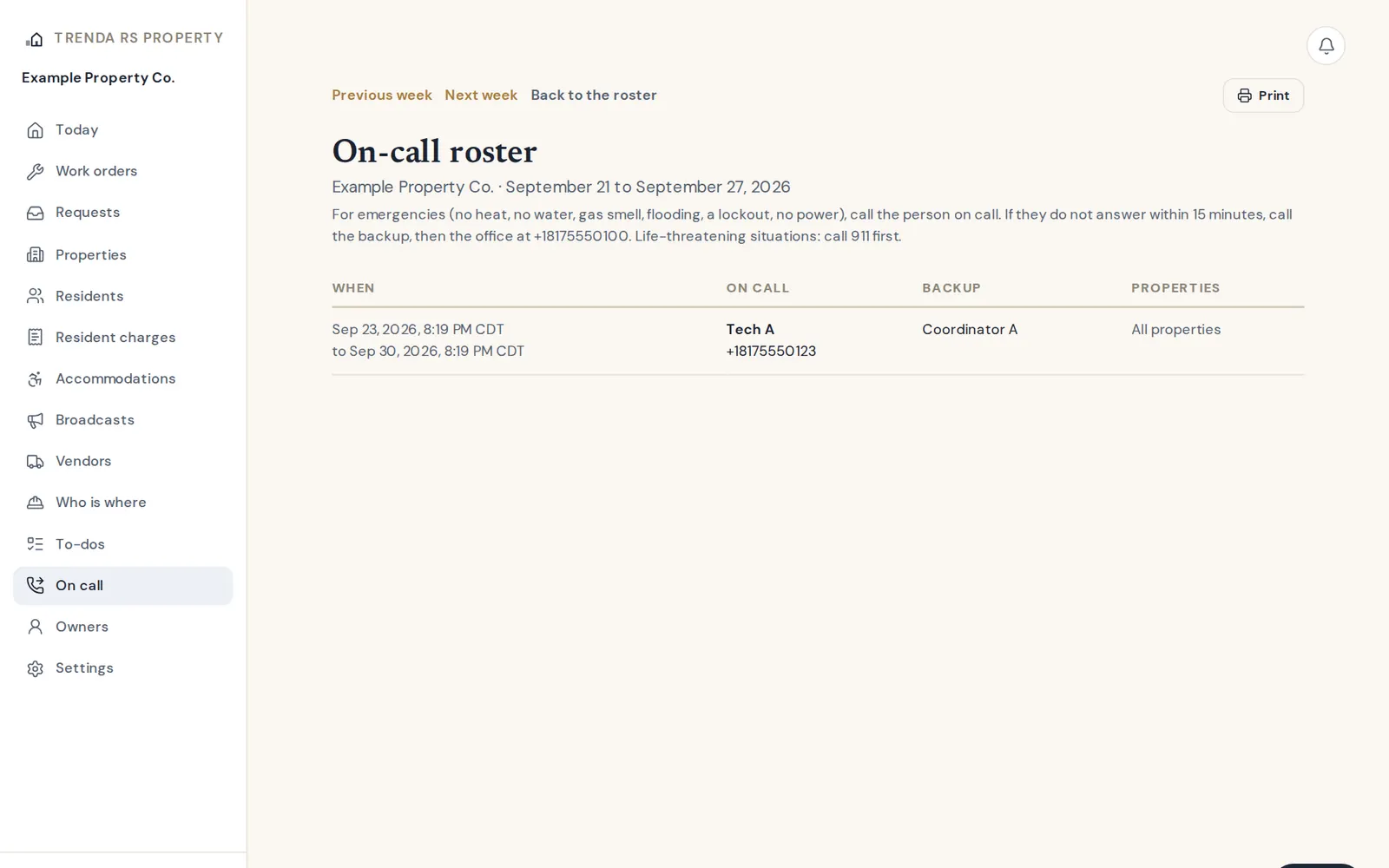
On-call roster
A printable week of who is on call, with a backup. An emergency nobody has acknowledged is escalated to the backup, then to everyone set to receive emergency alerts.
For technicians
The job, from a phone
An app for in-house technicians that installs on the phone's home screen: the day's jobs, the entry record, parts and every step logged.
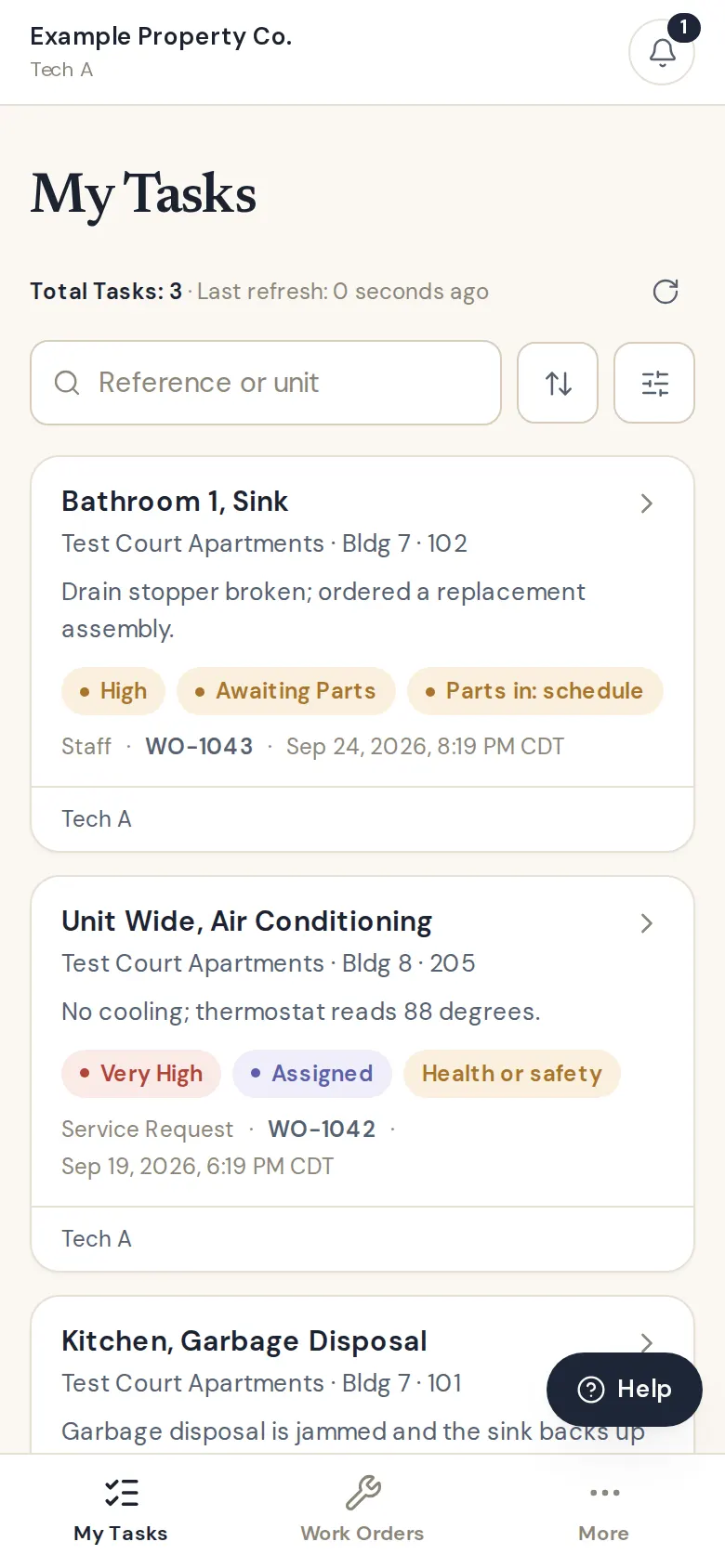
My Tasks
The technician's jobs, parts-in first, with search, sort and building filters. Their to-dos show here too.
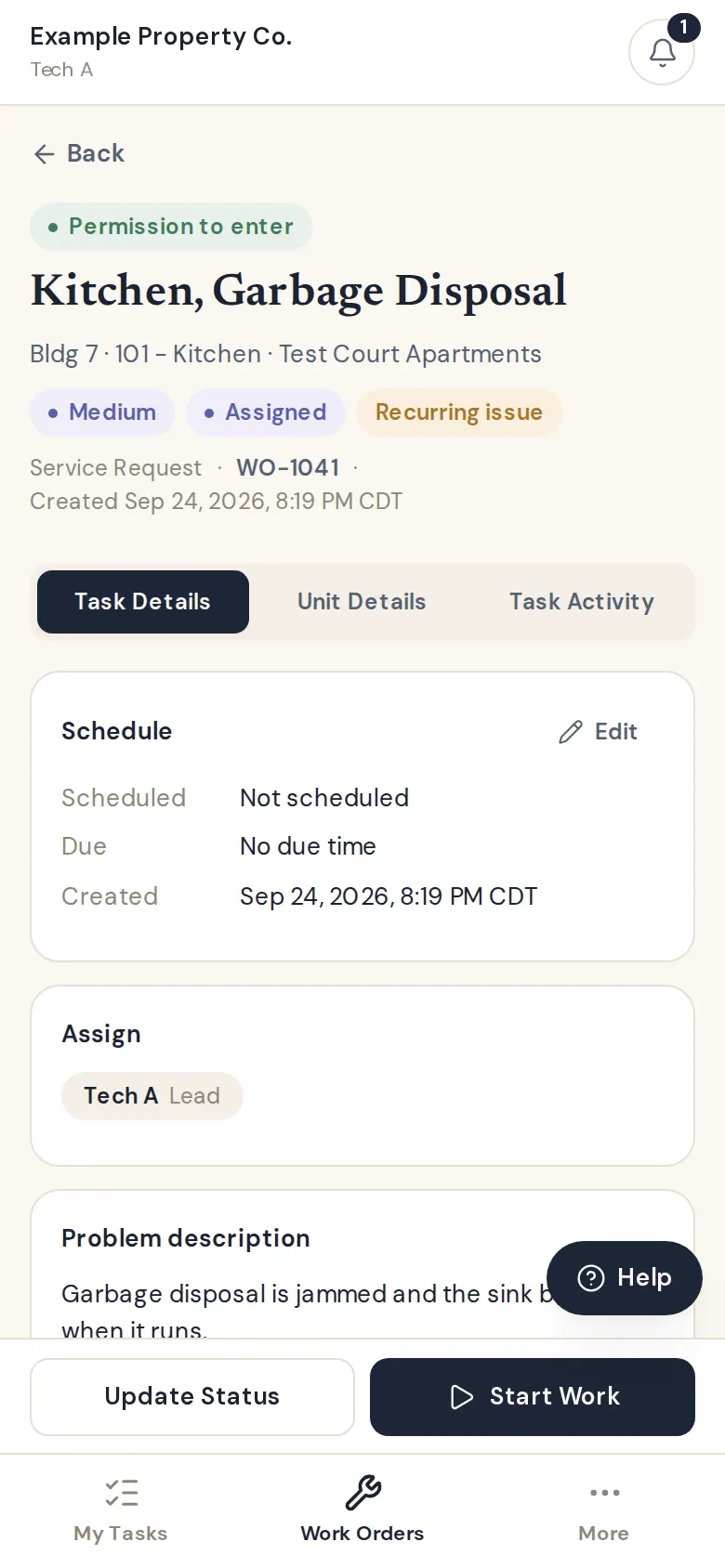
Task Details
Permission to enter, priority and a recurring-issue flag up top; schedule, who is assigned, the description, subtasks, parts and notes below.
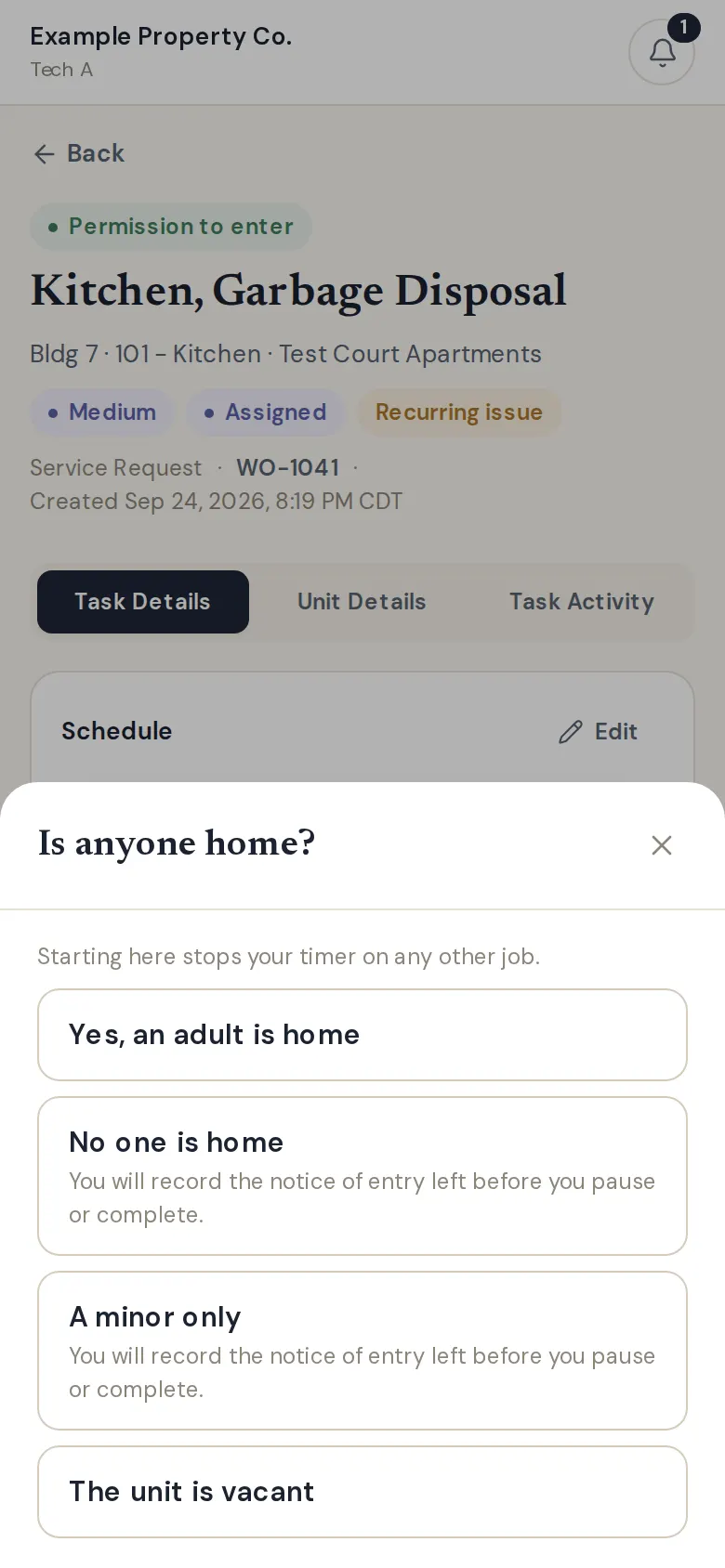
Start Work
Before the timer starts: is anyone home? The answer goes on the entry record, and a notice of entry is required before pausing when no one was home.
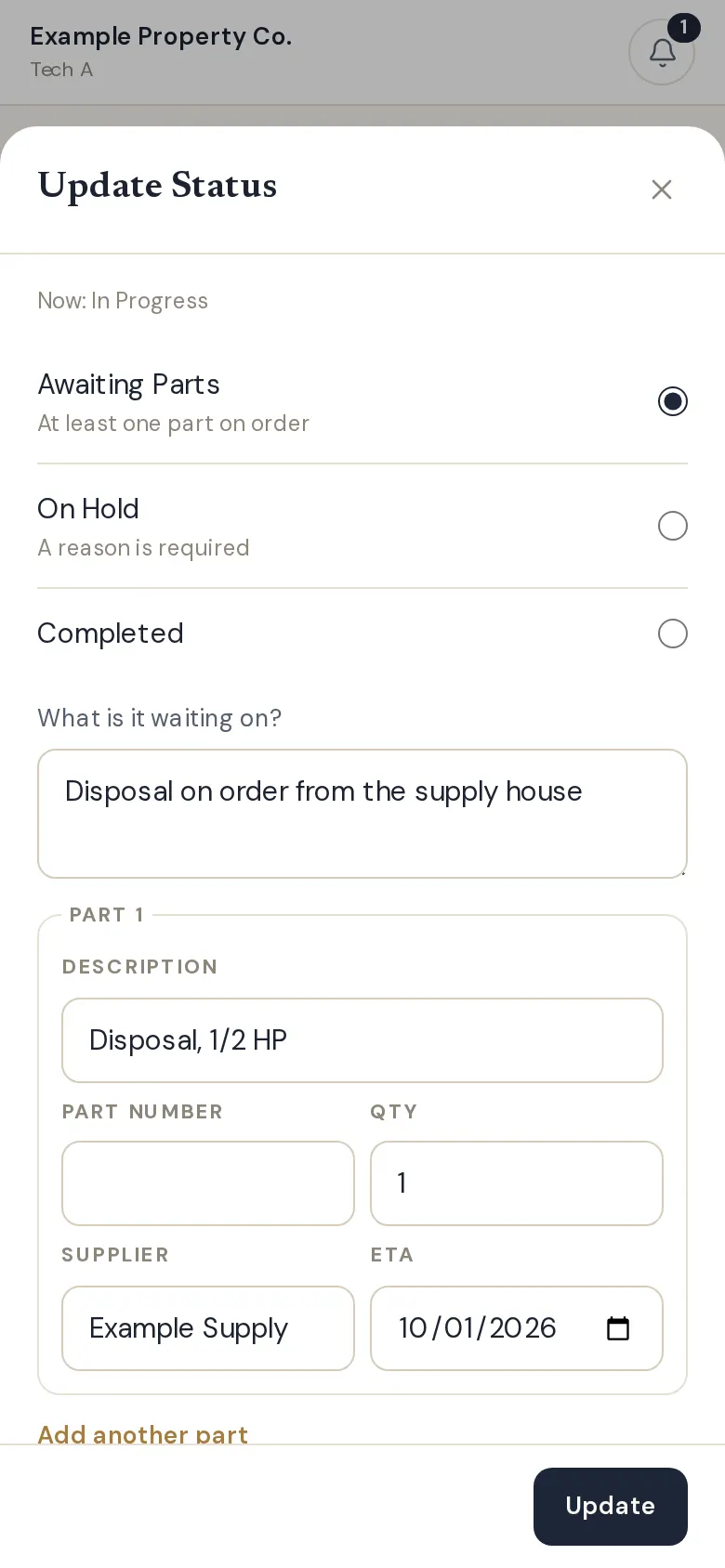
Awaiting Parts
Update Status with the part, supplier and ETA. When the part arrives the office sees "Parts in: schedule" on Today.
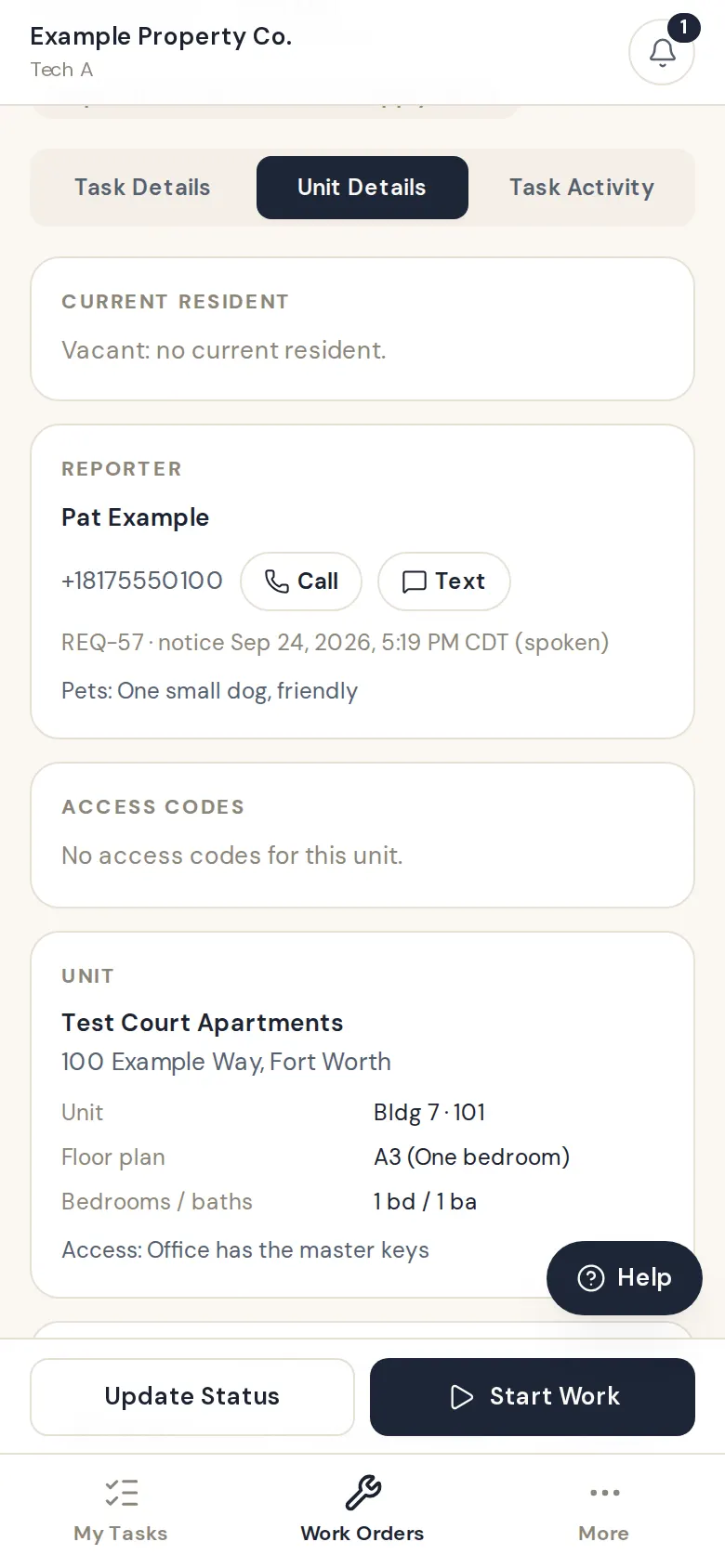
Unit Details
Who reported it, with call and text buttons, pets, access notes, the floor plan and the unit's history.
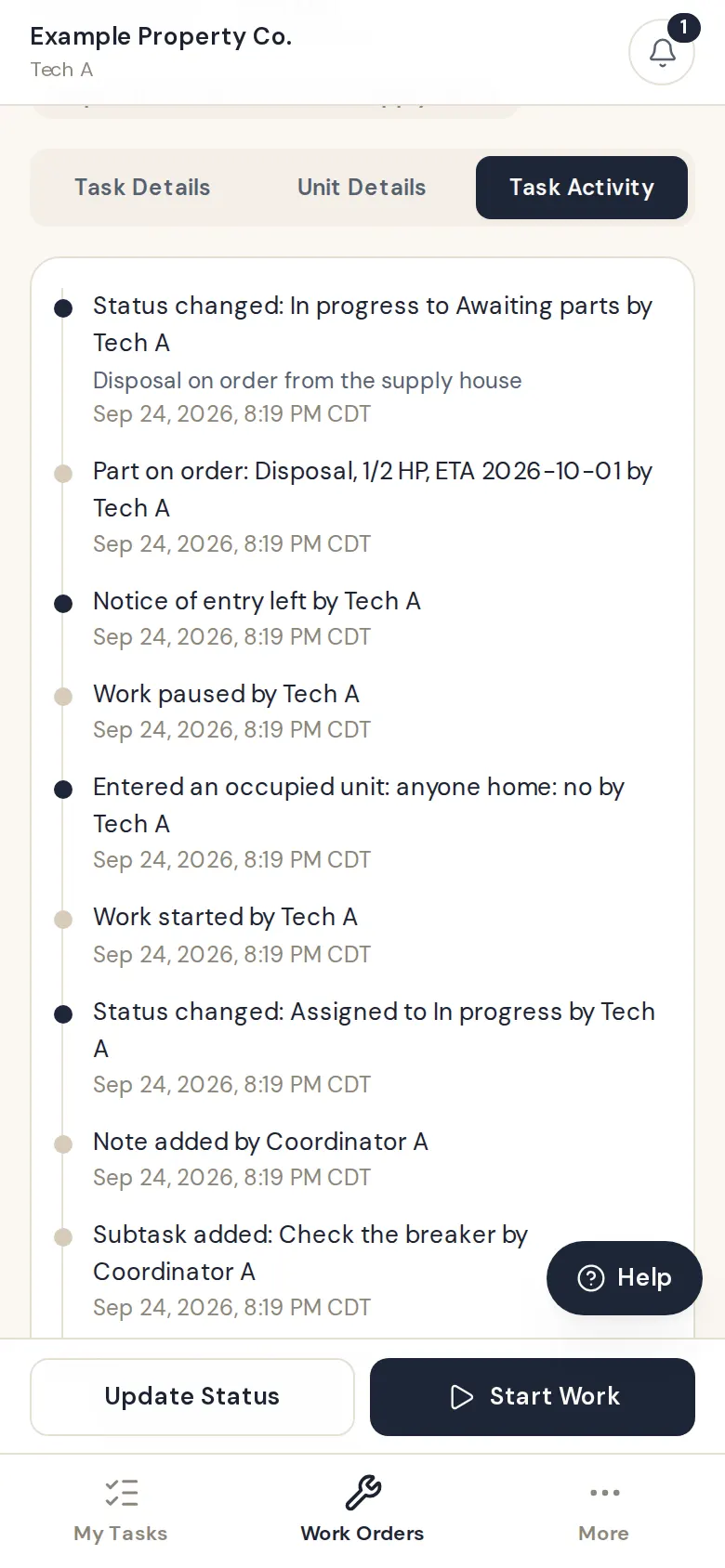
Task Activity
Every step with who and when: work started, the entry record, notice of entry, pauses and parts on order.
En español
The same screens in Spanish
Language is each technician's own setting, so a crew can work in the language they prefer.
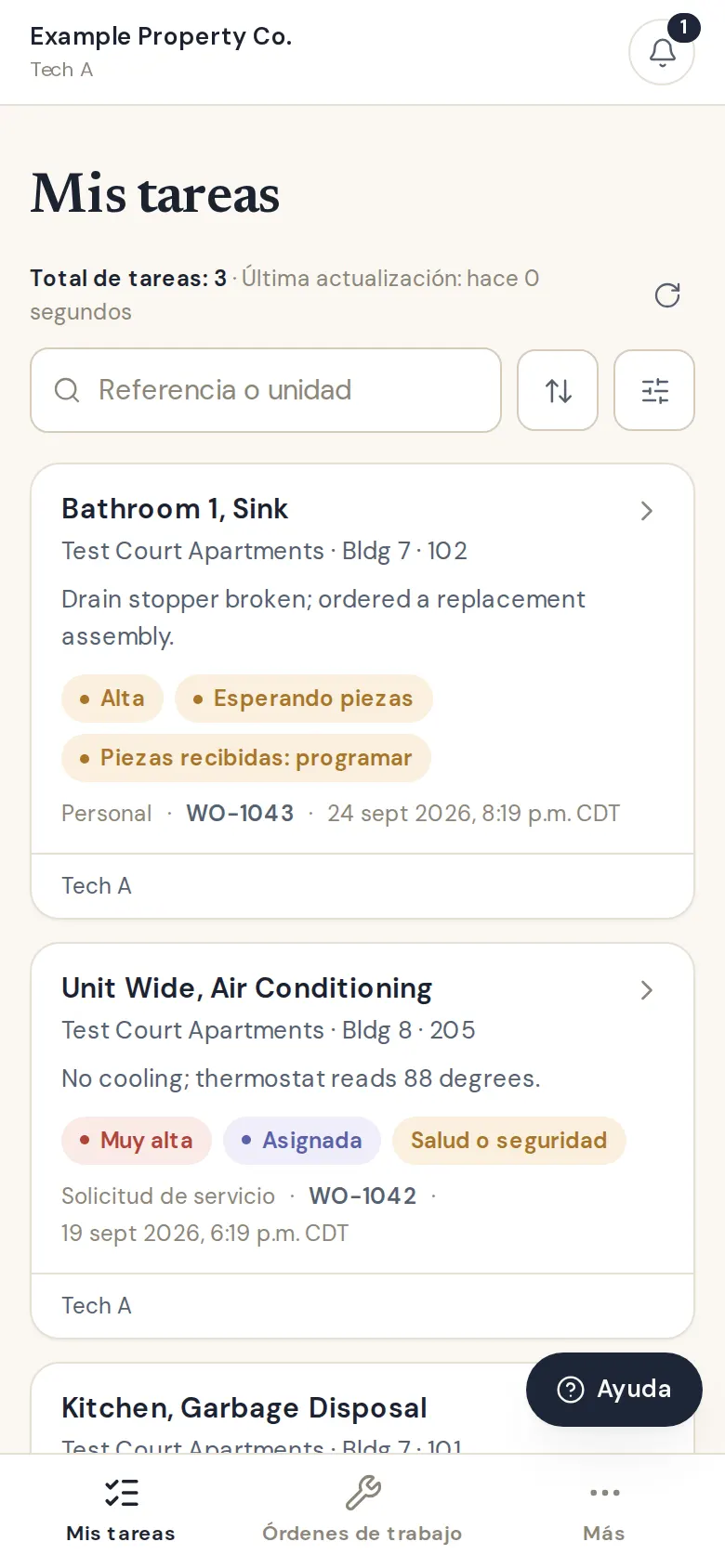
Mis tareas
Each technician picks English or Spanish under More. Screens, statuses and dates switch with it.
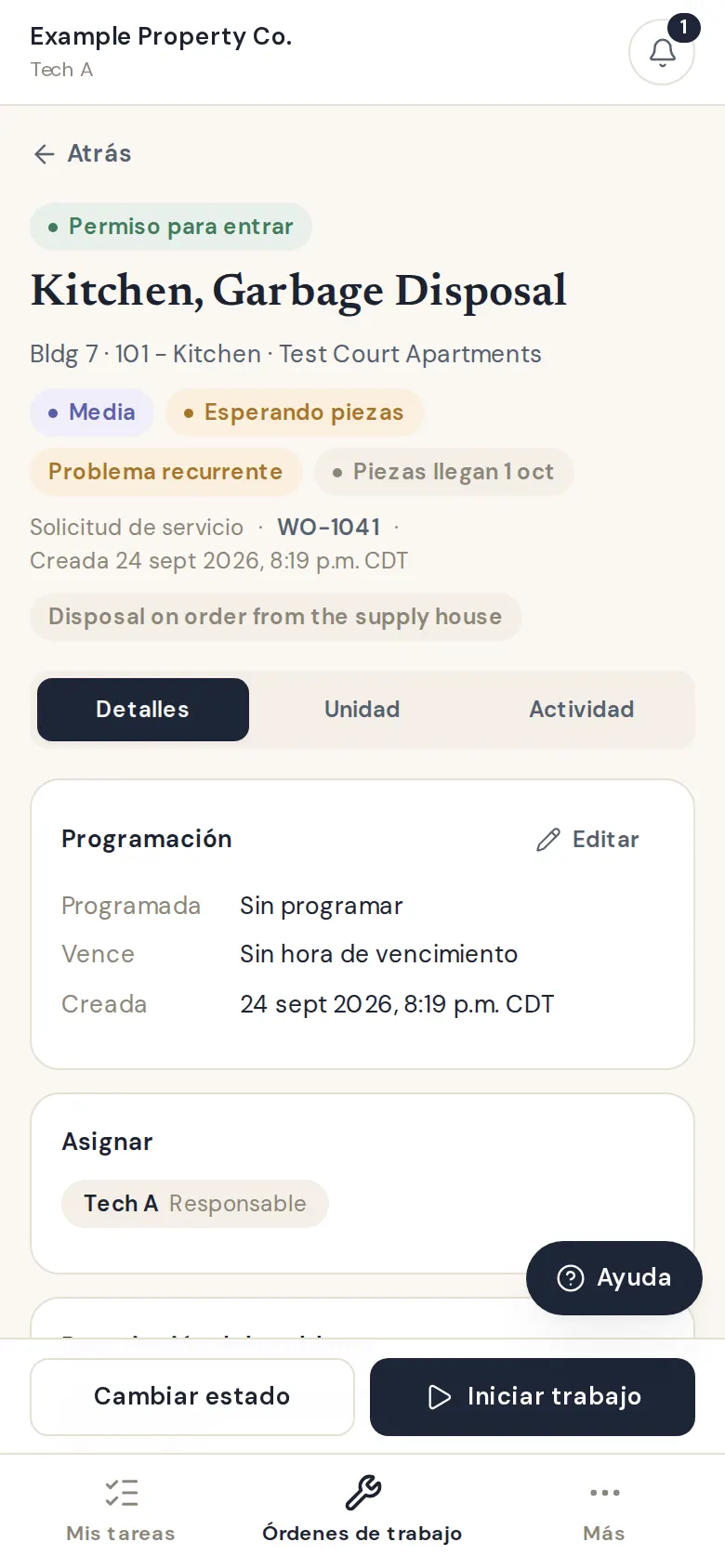
Detalles
The same job in Spanish. When the owner turns on translation, a Translate link sits under descriptions and notes.
For residents
Reporting a problem, with a receipt
No login and no app for residents: a link per property that records a dated, written request.
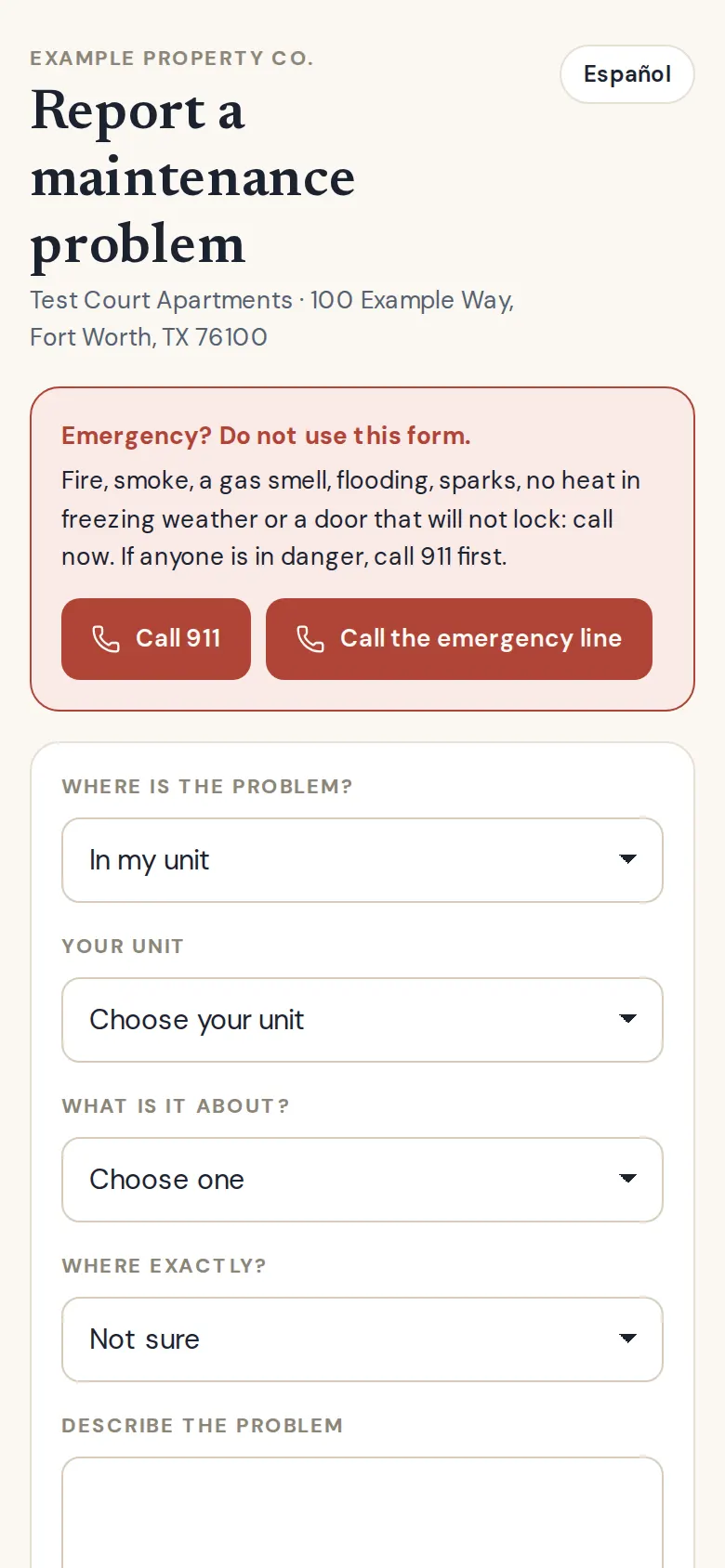
Report a problem, for residents
One link per property, printable as a QR sign for laundry rooms and welcome packets. Emergencies come first with call buttons, never a form; everything else becomes a written request with a dated receipt, in English or Spanish.
State rules
Built for the states you operate in
No state's law is hard-coded. Deadlines, notice periods and limits come from a researched rule pack per state, with city packs where local law matters, and every number shows its source.
- CaliforniaFull rules; local rules for San Francisco (basic), Los Angeles (basic), Oakland (basic)
- District of ColumbiaBasic
- TexasFull rules
"Full rules" means the state's repair, entry, deposit and late-fee rules are in the app; "Basic" means the main ones are. No rule pack has been signed off by counsel yet, so every rule says "Review with counsel". This is research, not legal advice.
Coming next in the pilot
Vendor licenses and insurance with no-login job links for vendors, inspections and make-ready boards, and a resident portal. Pilot partners help decide what comes first.
Join the pilot